
What pixel pitch means, why it matters, and how viewing distance shapes LED wall performance
Pixel pitch is one of the factors in LED video wall image quality. Whether you are designing a large lobby installation, a performance venue, or a control room, pixel pitch is one of the determinants in how sharp your content will appear and how close viewers can stand before seeing individual pixels.
This post explains what pixel pitch means, why it matters, and how viewing distance shapes image performance. It provides a practical starting point for anyone comparing LED display options and links directly to Christie LED video walls such as Christie XP Series, MicroTiles LED, and Core Series III, as well as resources like the Christie LED Designer tool, once readers are ready for the next steps.
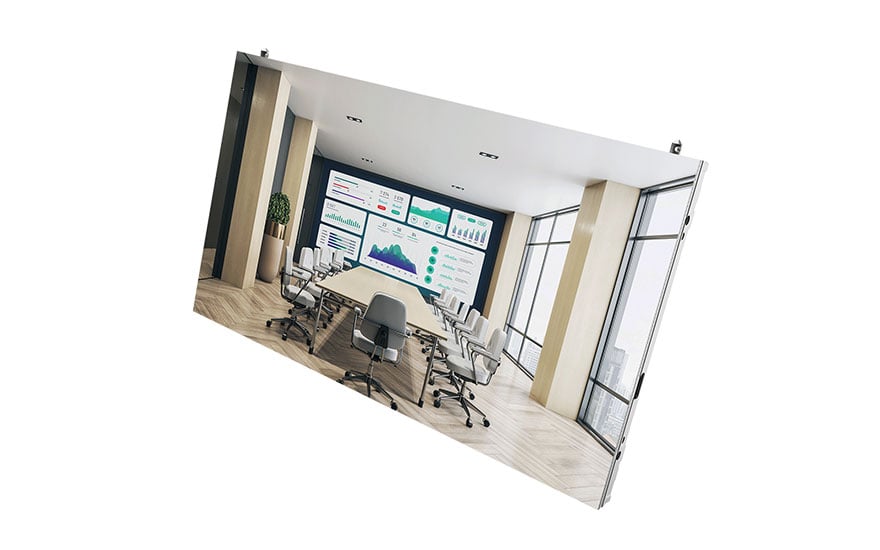
LED display solutions, like Christie Core Series III pictured here, are available in a range of pixel pitches.
What pixel pitch means
Pixel pitch refers to the distance, in millimeters, between the center of one LED pixel and the center of the next. It measures how densely the pixels are arranged on the LED module. A smaller number means the pixels are closer together and the image will appear sharper, especially at close viewing distances. Common pixel pitch values include 0.9mm, 1.2mm, 1.5mm, 1.9mm, and 2.5mm. These measurements can vary depending on the type of LED technology, the target application, and the environment in which the display will be used.
Pixel pitch affects three primary aspects of visual performance:
- Perceived sharpness
- Viewing distance
- Content legibility
When the pixel pitch is larger, the image may appear less sharp for viewers who are closer to the display.
How pixel pitch influences resolution
Pixel pitch is directly related to the total resolution of the LED wall. For a display of the same physical size, a smaller pixel pitch means more pixels fit into the same area, which increases resolution. This allows for more detailed content, smoother gradients, and clearer text.
For example, a 1.2mm LED wall will have significantly higher resolution than a 2.5mm wall of the same size. This difference determines how well the display can reproduce small fonts, intricate designs, and 4K or 8K content.
However, higher resolution is not always the primary requirement. Some environments are viewed from long distances or require large-format displays where content does not depend on fine detail. In those cases, a larger pixel pitch can provide excellent results at a lower overall cost.
Pixel pitch and viewing distance
Pixel pitch and viewing distance are closely linked. As a general guideline, the closer viewers are to the LED wall, the smaller the pixel pitch should be. When viewers stand farther away, a larger pixel pitch can still deliver a sharp and seamless image.
A common approach is to estimate viewing distance using a simple rule of thumb:
For each millimeter of pixel pitch, allow approximately one meter of minimum viewing distance. For example, a 1.5mm LED wall is best viewed from around 1.5 meters or more.
Viewing distance is an important factor for determining whether an LED wall feels seamless or visibly pixelated. Understanding this relationship helps designers avoid over-specifying (which unnecessarily increases costs) or under-specifying (which reduces perceived quality).
Choosing the right pixel pitch for your space
Selecting the right specification begins with understanding how the display will be used and how viewers will interact with it. Consider the following questions:
- How close will the nearest viewers stand or sit
- What type of content will be shown most frequently
- How large is the display area
A smaller pixel pitch provides flexibility for mixed-use spaces or environments that depend on detailed content, while a larger pixel pitch supports large-format architectural displays where scale and brightness matter more than precision. The goal is to match the specification to the functional needs of the room.
Where to go next
Understanding pixel pitch is a first step in evaluating LED display options. It provides the foundation to compare specifications and estimate viewing distances.
To learn more, explore resources such as LED video walls, our LED display guide, and the LED designer, where you can find additional information about display performance, installation considerations, and design best practices.